Beauty Makeup Editor & Camera
Photo & Video Editors - Instant SolutionBeauty
4.72.55K Reviews
- Version
- 2.1.2
- Installs
- 50.00M
- Age Rating
- Everyone
Screenshots
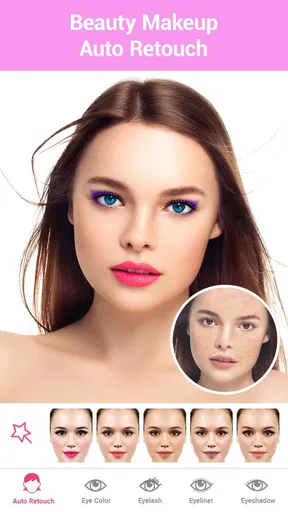
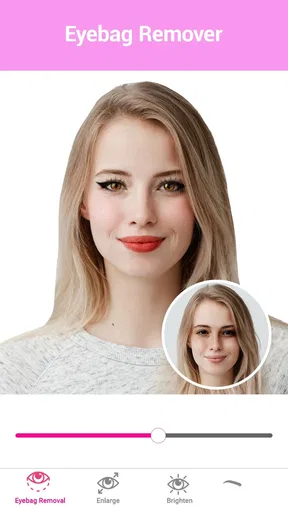
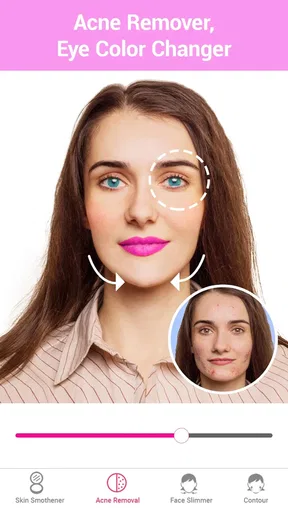

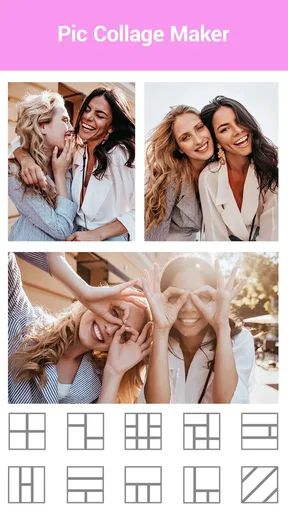
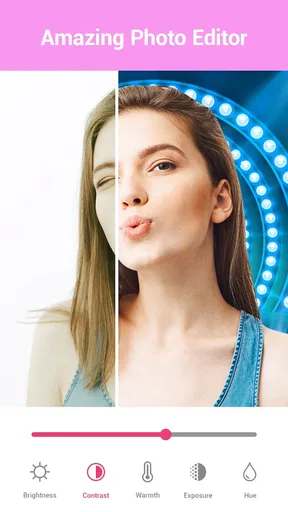
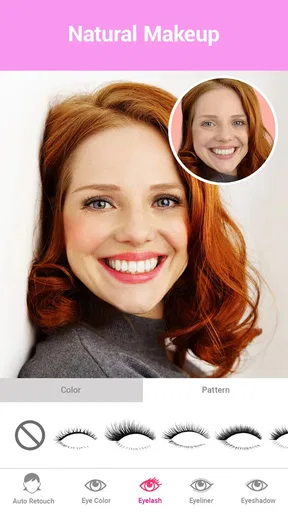
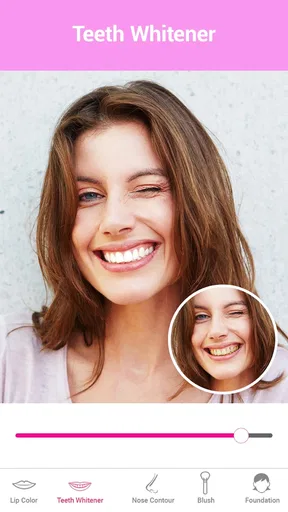
Our Review of Beauty Makeup Editor & Camera
 Analysis by Appyee
I usually judge a beauty camera by a simple test: can I get a result I like without spending longer editing than I spent taking the photo? That matters more than a huge menu of effects. Beauty Makeup Editor & Camera is aimed at quick portrait touch-ups and virtual makeup, so it makes most sense for someone who wants to explore a look or polish a selfie without opening a full photo-editing suite.
My first decision would be about the kind of result you want. If you’re choosing lipstick or testing a makeup mood, makeup-focused tools are more useful than a general filter that changes the whole image. If you need precise retouching across a group of photos, a broader editor may give you more control. This app sits closer to the playful, portrait-first end of beauty editing: convenient for trying ideas, less suited to careful, repeatable professional retouching.
What to check before you install
Think about whether you want to edit an existing picture, preview a look while taking a selfie, or do both. The built-in camera and editing tools make those different starting points possible. I’d also consider how natural you want the final image to look. Small adjustments can help a photo feel finished; stacking smoothing, reshaping, brightening, and strong makeup can make a face look noticeably unlike the person in the original.
It’s a free beauty app from Photo & Video Editors - Instant Solution, with optional in-app purchases ranging from $0.99 to $99.99 per item. That makes it easy to try without paying upfront, but I would check any purchase screen carefully before committing. The app is rated for Everyone, and its current version is 2.1.2; it requires Android 7.0 or later on Android devices. Those details make it easier to judge basic compatibility and whether its purchase model fits your comfort level.
Where this makeup camera fits best
I find this makeup camera most useful when I want to compare a few portrait looks quickly, rather than commit to a detailed edit. Starting with one clear photo and changing a single makeup element at a time makes the differences easier to judge and helps keep the result recognizably yours. From there, the key question is whether its focused, playful approach suits your routine better than a broader editor.
Quick experiments, not a full retouching studio
The clearest strength is the low-pressure way it lets you test makeup ideas. You can compare a softer look with a more dramatic one before deciding what suits the photo, rather than applying a real product or making a permanent edit straight away. That’s useful if you’re choosing a look for a casual profile picture, checking whether a lipstick shade works with an outfit, or simply having fun with a selfie on a quiet evening.
For a more convincing comparison, start with a well-lit photo facing the camera and change one element at a time. If you adjust lipstick, eye makeup, smoothing, and face shape together, it becomes difficult to tell which change improved the picture. Keeping the original in view while you experiment also helps you avoid drifting toward a heavily processed result when all you wanted was a little polish.
Live preview versus editing afterwards
The built-in camera is handy when you want to see a filter or makeup treatment before taking the shot. That can save time if you’re trying a few poses and want a consistent look across the pictures you take in one sitting. Editing an existing photo is the better route when you already have a specific image in mind or want to compare a few treatments without repeating the pose and lighting.
There is a trade-off: a live preview helps you compose a selfie, but it can also tempt you to judge the final look through the effect rather than the lighting and expression. I’d use the preview to explore, then check the saved result on its own before sharing it. For anything meant to look like an unedited portrait, restraint matters more than adding another effect.
How it compares with other beauty apps
Compared with a general-purpose photo editor, this app is more directly focused on makeup and face-oriented changes. That focus is useful when the main question is “Does this look suit me?” rather than “How do I correct every part of this image?” A general editor may be a better fit for cropping, color work across scenery, or detailed adjustments that need to remain consistent from photo to photo.
It also differs from a camera app built mainly around broad filters. A filter can change the overall mood quickly, while makeup tools invite you to think about particular parts of a portrait. Neither approach is automatically more realistic: a broad filter may alter the whole image at once, and a set of targeted effects can still look artificial if pushed too far. I’d choose based on whether you want a fast atmosphere change or a specific beauty look.
A practical routine for a believable result
For an everyday selfie, I’d begin with the cleanest source image I have, preferably one with even light and a clear view of the face. I’d test the makeup first, then make only the smallest touch-ups that solve a real problem in the picture. Before saving or sharing, I’d compare the edited image with the original and ask whether the effect is still believable at normal viewing size. This simple check is a useful safeguard against over-smoothing or reshaping.
For a look you may want to recreate with real makeup, treat the edit as inspiration rather than an exact color guarantee. Screens, lighting, and the photo itself can all affect how a shade appears. A virtual lipstick preview can help narrow your choices, but it cannot replace trying a product in person if the precise color matters.
Who should choose something else
I would look elsewhere if you need dependable batch editing, detailed control over every part of a portrait, or a consistent finish for a professional portfolio. A dedicated retouching tool is usually the more sensible choice for that work. I’d also skip this style of app if you dislike face-altering effects or prefer images to stay close to how they looked when taken; the fun of experimenting is not a reason to use adjustments you don’t actually want.
On the other hand, someone who wants a quick makeup preview, enjoys trying different selfie styles, or wants to make a casual portrait feel more finished is likely to get more out of it. Its appeal is not that it replaces every editing tool, but that it puts a few portrait-focused experiments within easy reach.
Getting started without wasting time
If you install it, I’d begin with one photo and explore the makeup controls before trying every effect. That gives you a clearer sense of what the app is doing and makes it easier to keep changes intentional. If you’re using the camera, take a plain version as well as an edited one when you want a fair comparison. The unfiltered shot is a useful reference, not a version you have to discard.
People often wonder whether they need makeup skills to use a virtual makeup app. For casual experimentation, no: the point is to compare looks visually, not to master application technique. The more useful question is whether you’re comfortable with a digital preview being approximate. If you need a precise match for a real-life event, use the result as a starting idea and check the look under the lighting you’ll actually be in.
Where the limits matter
A beauty editor can improve the presentation of a portrait, but it cannot fix every issue in the source photo. Poor lighting, an awkward expression, or a distracting background may still stand out after makeup effects are applied. I’d retake the photo when the basic image is weak rather than trying to make several strong edits compensate for it. That usually produces a more natural result and takes less trial and error.
There is also a personal boundary worth considering: face reshaping and skin smoothing can change the way a portrait represents you. I prefer to decide in advance what I’m comfortable adjusting, especially if the picture is for a public profile or a work-related setting. A light touch can still feel like you; a stack of changes may not.
The app has attracted a 4.7 average from around 435,000 ratings, with over 50 million installs and roughly 2,500 written reviews. That level of use suggests it has broad appeal, though popularity doesn’t tell you whether its editing style will match your taste. I’d treat those figures as context, then make the decision based on your own preference for playful makeup tools versus more controlled editing.
Getting Started with Beauty Magic
First things first, downloading the Beauty Makeup Editor & Camera is a breeze. Available on both Android and iOS, it's just a quick tap away from being installed. Once you open the app, you're greeted with a super intuitive interface. No need to be a tech wizard to navigate through its features. Everything is laid out clearly, making it perfect for both newbies and seasoned selfie-takers.
Features that Make You Go "Wow!"
So, what does this app offer? Well, buckle up because the list is pretty impressive. At its core, the app provides a range of makeup tools. You can experiment with different lipstick shades, eye shadows, and even contouring. It’s like trying on makeup at a store but without the hassle of wiping it off afterward!
- Advanced Filters: These aren't your run-of-the-mill filters. We’re talking ones that enhance your skin tone and lighting perfectly.
- Skin Smoothing: Say goodbye to blemishes and hello to flawless skin.
- Teeth Whitening: A smile is worth a thousand words, and now it can be a thousand watts bright!
- Face Reshaping: Feeling like your nose could be a tad smaller? The app lets you tweak facial features subtly.
Playing with Makeup
One of my favorite parts is the makeup feature. It’s like a playground for adults. The app allows you to try different looks without the commitment. Whether you’re in the mood for a natural day look or a bold evening style, you can test it out. Plus, the color accuracy is pretty spot on, which is a major win.
Something I found particularly cool is the ability to try on celebrity-inspired looks. Ever wondered how you’d look with Taylor Swift’s red lips or Ariana Grande’s cat-eye liner? Now you can find out, and it’s a blast.
Camera Capabilities
The app isn’t just about editing photos you’ve already taken; it also has a built-in camera with live filters. This means you can see what you’ll look like with makeup before you even snap the photo. It’s a game-changer for anyone who wants to get the perfect shot without spending hours editing afterward.
Why You’ll Love It
Besides all the fancy features, the Beauty Makeup Editor & Camera app is just fun to use. It’s a great way to play around with different styles, boost your confidence, and even learn a thing or two about makeup application. Plus, it’s like having a little slice of luxury at your fingertips.
The app also respects your privacy, which is a huge plus in today’s digital world. Your photos are yours, and there’s no need to worry about them being stored or misused.
Final Thoughts
So, should you download the Beauty Makeup Editor & Camera? If you love taking selfies, experimenting with makeup, or simply want an easy way to enhance your photos, the answer is a resounding yes. It’s one of those apps that you didn’t know you needed until you tried it. It’s more than just an editing tool; it’s a confidence booster, a creative outlet, and a whole lot of fun.
Ready to give it a go? Trust me, your selfie game will thank you!
Privacy and Permissions
See what permissions an app requests and how it handles your data.
- Photos/Media/Files
- read the contents of your USB storage, modify or delete the contents of your USB storage
- Storage
- read the contents of your USB storage, modify or delete the contents of your USB storage
- Camera
- take pictures and videos
- Microphone
- record audio
- Wi-Fi connection information
- view Wi-Fi connections
- Other
- view network connections, full network access, control vibration, prevent device from sleeping, Google Play license check
Verdict
Strengths of Beauty Makeup Editor & Camera
- Intuitive interface for easy navigation.
- Wide range of makeup options available.
- Real-time editing with live camera.
- Customizable beauty adjustments.
- High-quality output for sharing.
Limitations of Beauty Makeup Editor & Camera
- Some features require in-app purchases.
- Occasional ads can be intrusive.
- May drain battery quickly.
- Limited hairstyle options.
- Requires internet for certain features.
Other Releases by Photo & Video Editors - Instant Solution
View All
AI Video Generator - Clips AI
Art & Design4.3
Similar Picks in This Category
View All
Perfect365: Face Makeup Editor
Perfect365, Inc.3.5

Mirror Plus - HD Mirror app
Digitalchemy, LLC4.8

Cute Lock Screen & Wallpapers
Prometheus Interactive LLC4.6

HD Camera for Android
One Music Player4.5

Phone Mirror app - True Mirror
Cards4.6

Beauty Camera: Sweet Camera
Mobile_V54.6
Frequently Asked Questions
What features does the Beauty Makeup Editor & Camera offer?
The Beauty Makeup Editor & Camera app offers a variety of features including real-time makeup effects, skin smoothing, blemish removal, and a wide range of filters. Users can also enjoy tools for contouring, lipstick application, eye makeup, and more. The app also provides the ability to adjust facial features and experiment with different hairstyles.
Is the Beauty Makeup Editor & Camera app free to use?
The app offers a free version with basic features, but to access advanced tools and filters, users may need to purchase a subscription or make in-app purchases. This allows you to unlock premium makeup effects, exclusive filters, and ad-free usage, providing a more comprehensive experience.
Is the Beauty Makeup Editor & Camera app easy to use for beginners?
Yes, the app is designed with user-friendliness in mind, making it accessible for beginners. It features a straightforward interface with guided tutorials and tips to help users navigate through the various tools. Whether you're a novice or experienced in photo editing, the app is intuitive and easy to use.
Does the Beauty Makeup Editor & Camera app require an internet connection?
While many features of the app can be used offline, an internet connection is required for certain functionalities such as downloading new filters, accessing cloud storage, and updates. To get the best experience and access all features, it is recommended to have a stable internet connection.
Can I share my edited photos directly from the Beauty Makeup Editor & Camera app?
Yes, the app allows easy sharing of your edited photos directly to social media platforms like Instagram, Facebook, and Twitter. You can also save the photos to your device or send them through email or messaging apps. The sharing feature is designed to be seamless and efficient.
